You've got a practical driving test booked, but your instructor needs the exact time, your employer wants confirmation, or college has asked when you'll be away. The email on your phone looks useful until you realise it may be old, forwarded, or linked to an appointment you've already changed. In that situation, the safest answer is the live DVSA booking record on GOV.UK, not a screenshot or remembered date.
That distinction matters because waits remain long and test availability changes quickly. The National Audit Office reported an average wait of 22 weeks in Great Britain in September 2025, while 70% of DVSA's 240 permanent test centres were operating at the 24-week maximum (National Audit Office findings). A mistaken diary entry can therefore cause more than a small administrative nuisance. Cancelling or changing the wrong appointment may leave you facing a much later replacement.
This guide shows how to check driving test date details through the official GOV.UK service, what the confirmation screen proves, and what to do if the date, time or centre doesn't match your records. It also covers earlier appointments, tightened rebooking rules and the practical checks that keep your booking safe.
If you're also organising lessons, centre choice or cancellation planning, the learner driver centre provides related UK-focused guidance.
Table of Contents
- Introduction to Checking Your Driving Test Date
- What You Need Before You Check Your Booking
- How to Check Your Driving Test Date on GOV.UK
- Understanding What Your Booking Confirmation Shows
- What to Do If Details Are Wrong or You Need an Earlier Date
- Quick Checks to Keep Your Test Date Safe
Introduction to Checking Your Driving Test Date
A learner phones the office on a Monday morning and says, “I think my test is next month, but I can't remember the exact time.” Their instructor has two pupils booked that day, and the learner's employer needs a definite answer before approving annual leave. The learner forwards an old confirmation email, but the message doesn't show whether the appointment was later moved.
This is a common office problem, and the solution is straightforward. Open the GOV.UK service to check your driving test appointment, enter the learner's details and use the record currently held by the Driver and Vehicle Standards Agency, or DVSA. That live result takes priority over a message saved in an inbox, a calendar entry or a screenshot sent by somebody else.
The check is particularly valuable when you're trying to co-ordinate an instructor, work or study. A test centre may have very limited availability, and the next suitable appointment may be many months away. The NAO reported that average waiting times reached 22 weeks in September 2025, with many centres at the 24-week limit (NAO investigation into car driving test waiting times).
Practical rule: Treat emails as useful paperwork, but treat the live GOV.UK booking record as the final check before making a decision.
The process itself is quick when you have the right details. You'll need your driving licence number and, if available, your booking reference. Once the service displays the appointment, check the date, time and test centre carefully before you tell your instructor, arrange lessons or attempt to change the booking.
What You Need Before You Check Your Booking
Have the learner's driving licence number ready. GOV.UK uses it to identify the appointment, so copy it from the photocard rather than a blurry photograph or old message. Keep the booking reference available too. It may help the service find the record, although you can still follow the prompts if it is not immediately to hand.
The reference usually appears in the confirmation email sent after booking. Search the inbox used for the booking for “driving test”, “DVSA” or “booking reference”. Check deleted and junk folders, especially if the booking was made some time ago.
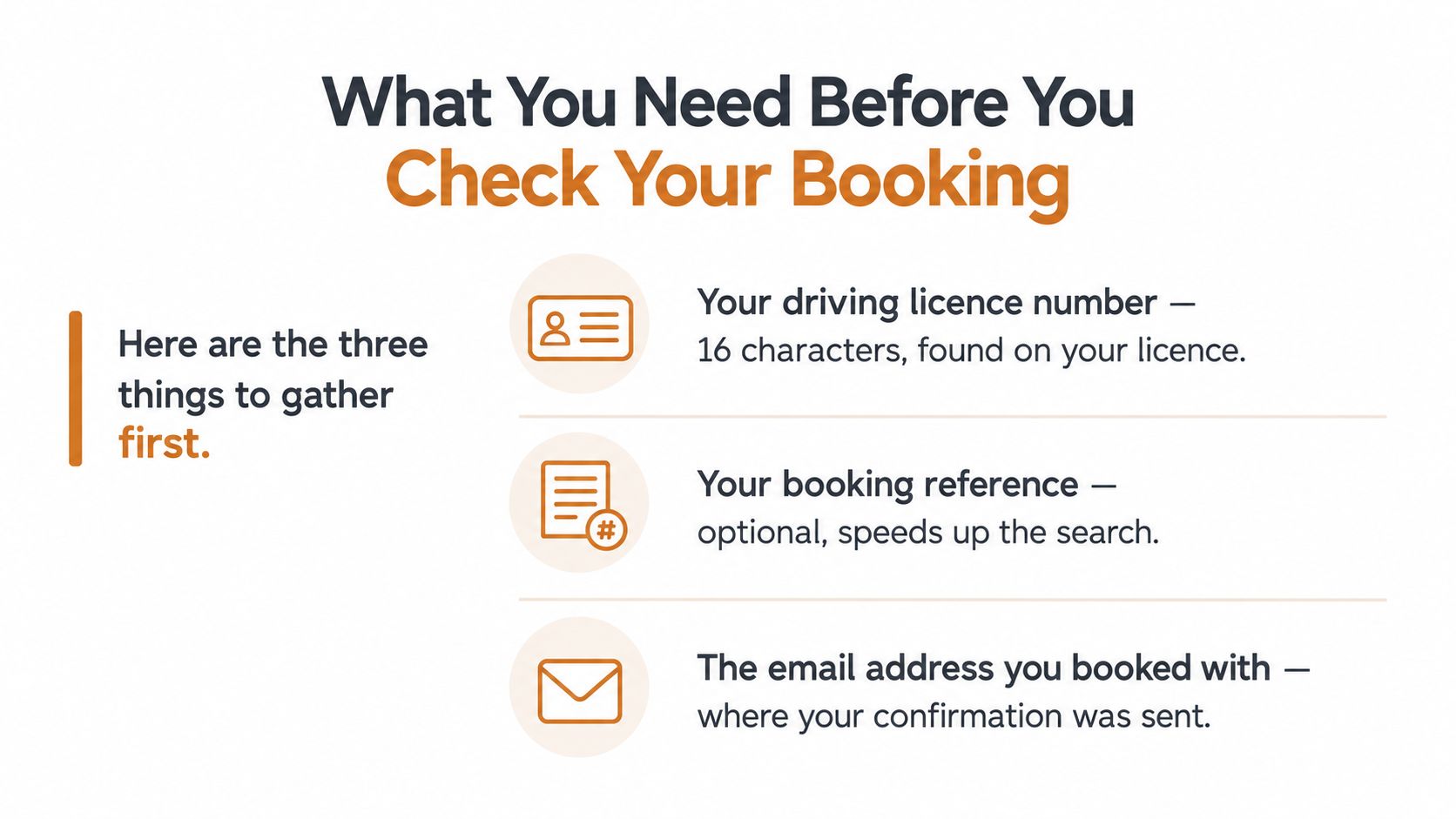
The email address helps you find the original confirmation and any later DVSA messages. It does not replace checking the live booking. An instructor may have a copied confirmation while the learner has received an update, so comparing inboxes can explain conflicting dates without proving which one is current.
Use the official service
Start with the GOV.UK driving test booking service, not a search advertisement or unfamiliar booking page. Choose the option for checking an existing appointment, then follow the prompts for the licence number and booking reference.
Instructors can support the process, but under the 2026 booking rules, the learner must book their own car driving test. GOV.UK states that instructors cannot book it for them (2026 driving test booking-rule changes). The learner should therefore keep the reference, booking email and current appointment details accessible.
If you are booking rather than checking an existing appointment, use this guide to booking a driving test online to separate the initial booking steps from the later date check. That distinction matters when availability is limited and rebooking a mistake may leave you waiting longer.
How to Check Your Driving Test Date on GOV.UK
If your inbox shows one date and your instructor's diary shows another, check the live DVSA booking before changing anything. An old confirmation email or screenshot may reflect an earlier appointment, while the GOV.UK record shows what is currently held.
Open GOV.UK and select the service to check your driving test appointment. Choose the car practical test option. Enter the driving licence number exactly as it appears on the photocard, then provide the booking reference if requested or available.
The result should display the appointment recorded by DVSA, including the test date, start time and test centre. Read the full centre name rather than relying on a postcode or familiar area. Two centres can serve the same broad location, yet involve different journeys, parking arrangements and lesson routes for your instructor.
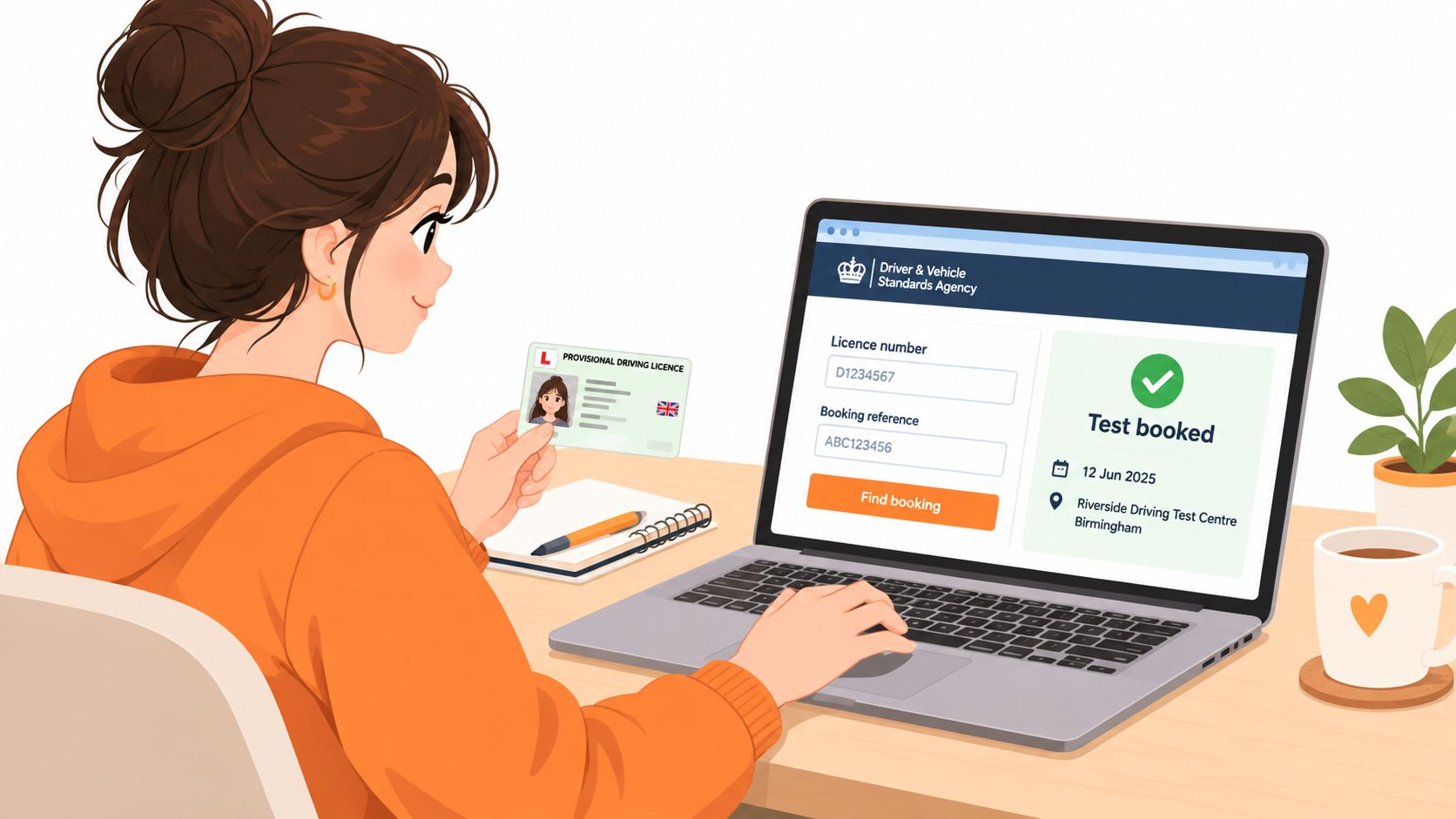
Compare the displayed appointment with your diary before recording it or arranging lessons. If you changed the date after the original email, use the live GOV.UK result as your working record. Do not cancel, rebook, reserve a day with an instructor or purchase extra lessons based only on an old message.
Check before you act
The booking window extends 24 weeks ahead, so a busy centre may offer no convenient replacement when you return to the system. That makes an incorrect cancellation or rebooking decision harder to recover from (GOV.UK driving test booking information).
DVSA guidance says there is generally no waiting list or cancellation list at most test centres. Earlier appointments become available when candidates change or cancel their tests, so check the live system rather than waiting for DVSA to contact you from a queue (DVSA guidance on appointment release dates and earlier tests).
The same checking principle applies outside the UK, although each licensing authority uses its own service. For Ontario learners, how to book online in Ontario explains that region's process and should not replace the UK GOV.UK route.
The following video shows the type of online appointment details learners should review before contacting an instructor.
Understanding What Your Booking Confirmation Shows
A live booking confirmation should answer three practical questions: when is the test, what time does it start, and where is it taking place? It does not confirm that you will pass, identify the examiner, or show that the centre still fits your instructor's diary. Treat those as separate planning checks.
An old email may contain the correct details, but it cannot prove that the appointment remains unchanged. A screenshot is less reliable because it has no live connection to DVSA and may miss a later amendment. Use either as a reference while finding the booking, then check the current GOV.UK result before arranging lessons, travel or time away from work.
Why waiting figures can look inconsistent
Learners may encounter two different measures of waiting time. The older DVSA measure identifies the point at which at least 10% of weekly test appointments at a centre remain available. The newer median measure records the wait for learners who completed tests. DVSA reported that half of the learners who took a test in July 2026 waited no more than 11.1 weeks, while the broader national measure was 20 weeks in August 2026 (BBC reporting on the updated waiting-time measures).
These figures describe different things. One concerns availability within the booking window; the other reflects completed learners' experience. A centre can therefore appear heavily booked while earlier appointments still appear after candidates release them.
Fresh appointments are released 24 weeks in advance at 6am every Monday, according to GOV.UK (appointment release information). That gives learners a regular time to check, although demand, cancellations and instructor availability affect what is offered.
A long waiting figure does not mean you are on a formal queue. DVSA guidance generally provides no waiting or cancellation list at most centres. Earlier dates usually require checking the live booking service when another candidate changes or cancels an appointment.
What to Do If Details Are Wrong or You Need an Earlier Date
If the live GOV.UK record differs from an email or saved screenshot, pause before changing the booking. Check whether the discrepancy is the date, time or test centre, then compare it with any recent DVSA message. The live record takes priority over an old confirmation. If the details still appear wrong, use the official DVSA contact route rather than asking an instructor or third-party service to amend them.
Keep the existing appointment while looking for an earlier one. Open the official booking service, review the available centres and times, and only confirm a change when the replacement suits both the learner and instructor. New appointments are released 24 weeks ahead at 6am on Mondays, but cancellations can appear at other times. Long waits, sometimes reaching 24 weeks, make regular checking worthwhile. The driving test waiting-times guidance explains why availability can change even when a centre appears fully booked.
Protect the booking while making changes
Booking changes are more restricted than before. From 31 March 2026, an existing car test booking allows only two changes. Check the instructor's availability first, because using a change on an unsuitable slot can leave little room to correct the mistake. The current limits are set out in the GOV.UK booking-rule update.
After a failed car practical test, the replacement test must be at least 10 working days away. Cancelling for a full refund also requires at least 10 full working days' notice, according to GOV.UK driving test guidance. These deadlines matter when theory entitlement is nearing expiry, work leave is restricted or the instructor has limited availability.
Third-party alerts can identify possible cancellations, but the learner must still change the booking through GOV.UK and check the new record afterwards. Advice on coping with VicRoads date changes illustrates the practical risk of accepting a changed appointment before checking diaries and travel arrangements, although VicRoads procedures do not replace UK DVSA rules.
Keep the original booking until the replacement is visible, suitable and confirmed in the live record. A forwarded email can help with comparison, but it cannot prove that the appointment remains current.
Quick Checks to Keep Your Test Date Safe
A reliable booking habit is less about checking once and more about checking at the moments when an error would be expensive. Before you pay for extra lessons, arrange work leave or ask an instructor to reserve a test-day slot, open the live GOV.UK record again.
Keep the licence number and booking reference somewhere secure, but don't treat a saved copy as proof that the appointment is unchanged. Ask your instructor to confirm the centre and timing against the learner's live record, particularly if several pupils have tests around the same period.
Use this short routine:
- Verify the appointment: Check the current date, time and centre on GOV.UK.
- Protect your change allowance: Confirm the replacement before using one of the two permitted booking changes.
- Watch your deadlines: Diarise theory entitlement and work or study commitments.
- Check the centre: Make sure the location suits the learner and the instructor's route.
- Act on live information: Ignore forwarded screenshots when they conflict with the current record.
If you need an earlier date, keep the existing booking until a suitable alternative is available. You now have a clear way to confirm what DVSA holds, spot stale information and make changes without guessing.
Driving Test Cancellations monitors DVSA availability and sends notifications when earlier appointments appear, while you rebook directly through GOV.UK. Visit Driving Test Cancellations to see how its cancellation alerts can support your search for a suitable date.